5.5 Step 3: Review a Change
Say a branch adds a payments mart and a loyalty_tier column to customers. After re-running qdbd import dbt target/ -o erd/ on the branch:
What changed?
Schema changes origin/main -> working tree:
  + table payments
  ~ table customers
      + loyalty_tier
  + relationship payments.order_id -> orders.order_id (N:1)
1 table(s) added, 0 removed, 1 changed; 1 relationship(s) added, 0 removed
--format markdown gives the same thing as a PR-ready comment, and --format json gives it for scripts. --exit-code exits 1 when anything changed.
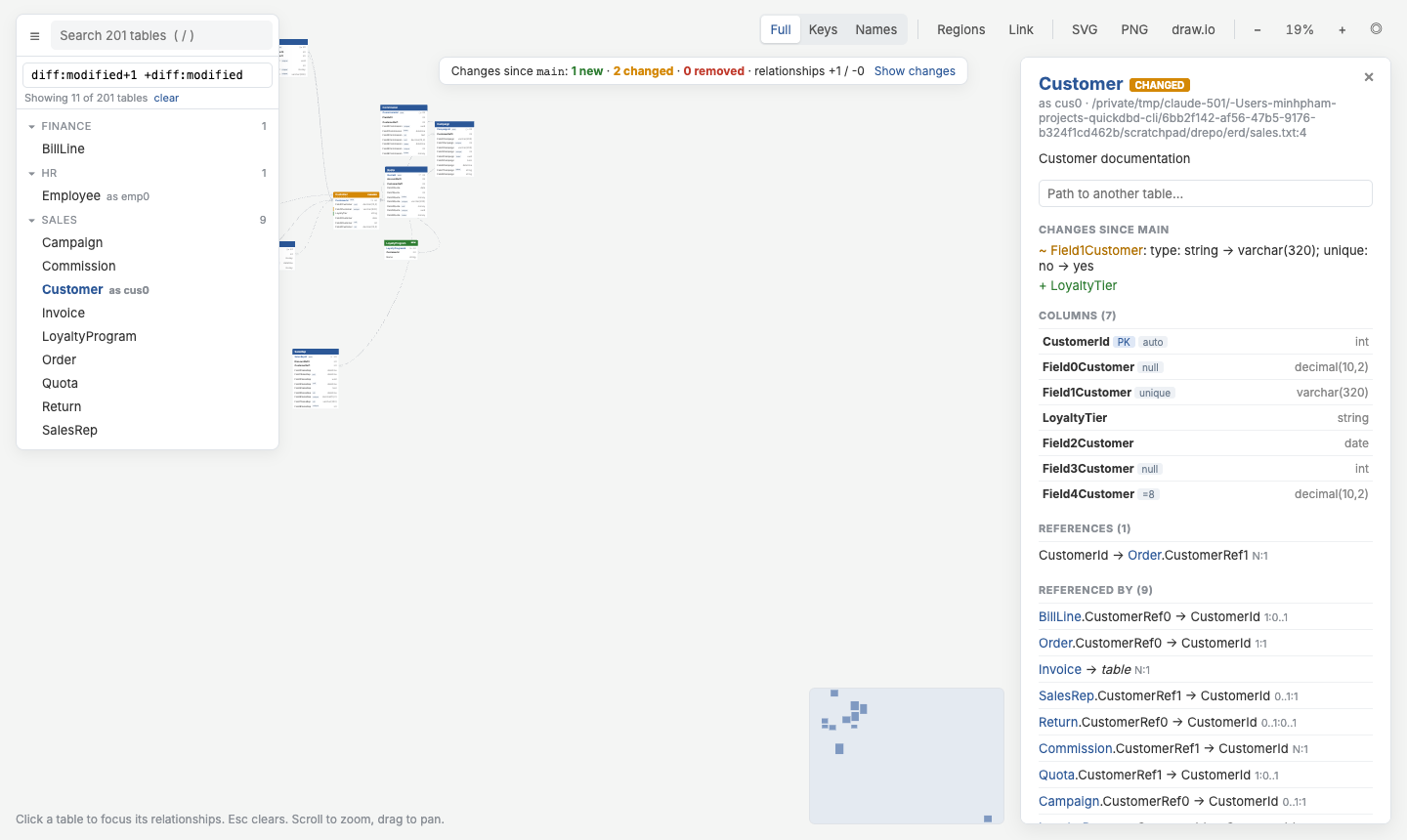
See it
New tables are green, changed tables amber, and changed columns get a bar. Show changes in the banner filters to the changes and their neighbours. In a filter, diff:modified works like dbt's state:modified: