5.4 Step 2: Explore the Model
Open it
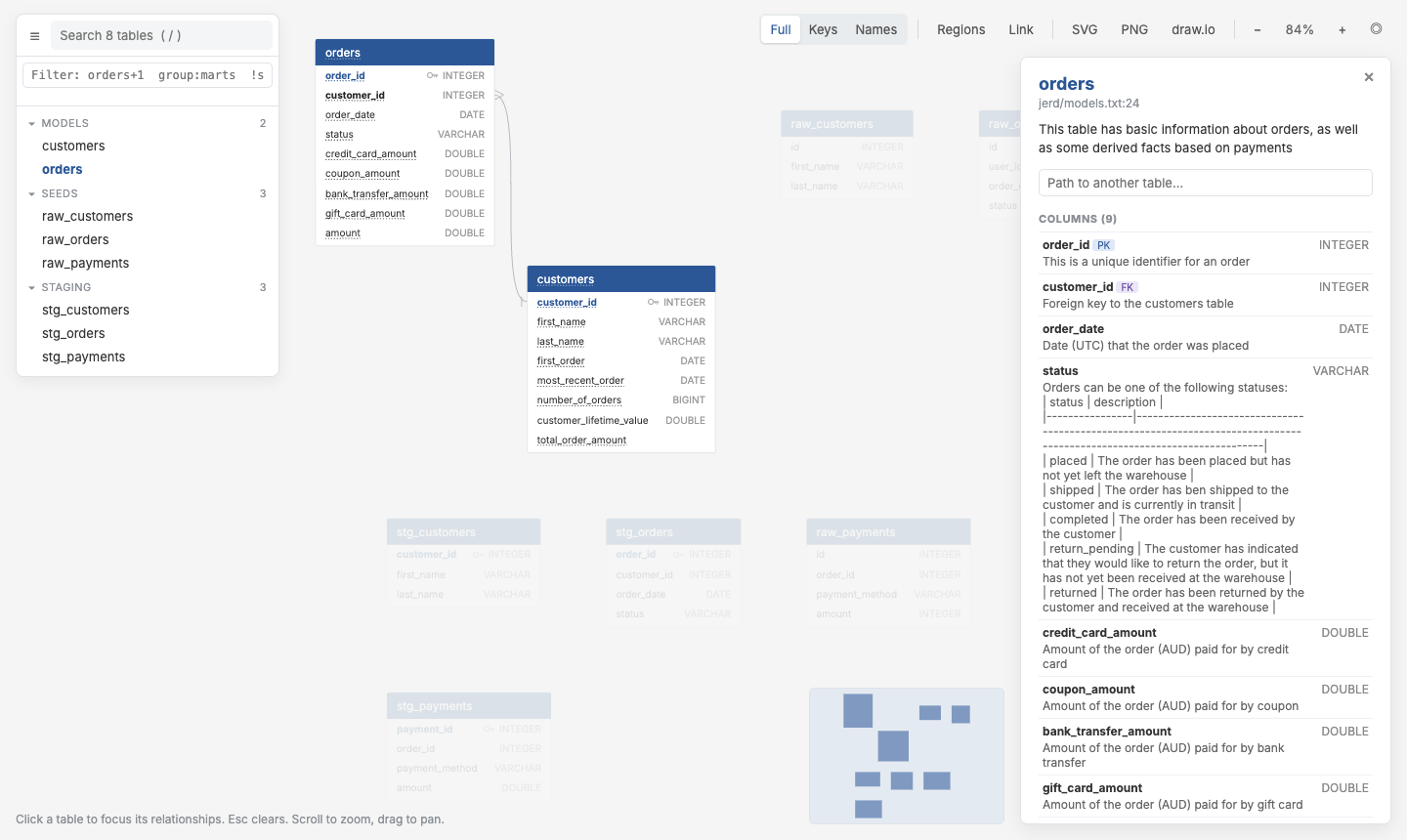
The explorer groups tables by dbt folder: models, seeds, staging. Clicking orders opens its details:
- the model description and every column's description;
customer_idis tagged FK; under References it points tocustomers.customer_id(N:1);- under
customers, Referenced by listsorders.customer_id.
Arrange it
Drag customers next to orders. The position is saved to erd/qdbd.layout.json. Commit that file and everyone sees the same arrangement.
To keep each dbt folder together with shaded regions:
Narrow it down
In the explorer's filter box (or with -s on the CLI):
| Filter | Shows |
|---|---|
group:models |
only the marts |
+orders |
orders and what it references |
customers+ |
customers and what references it |
col:customer_id |
every table with a customer_id column |
!group:seeds |
everything except seeds |
How do two tables join?
In orders' details, type customers into Path to another table:
orders -> customers: 1 join(s)
  orders.customer_id -> customers.customer_id (N:1)

FROM orders
JOIN customers ON customers.customer_id = orders.customer_id
The same from the terminal:
Share a view
Select orders, filter +orders, then press Link. The copied URL reopens exactly that view, so you can paste it in Slack or a ticket.